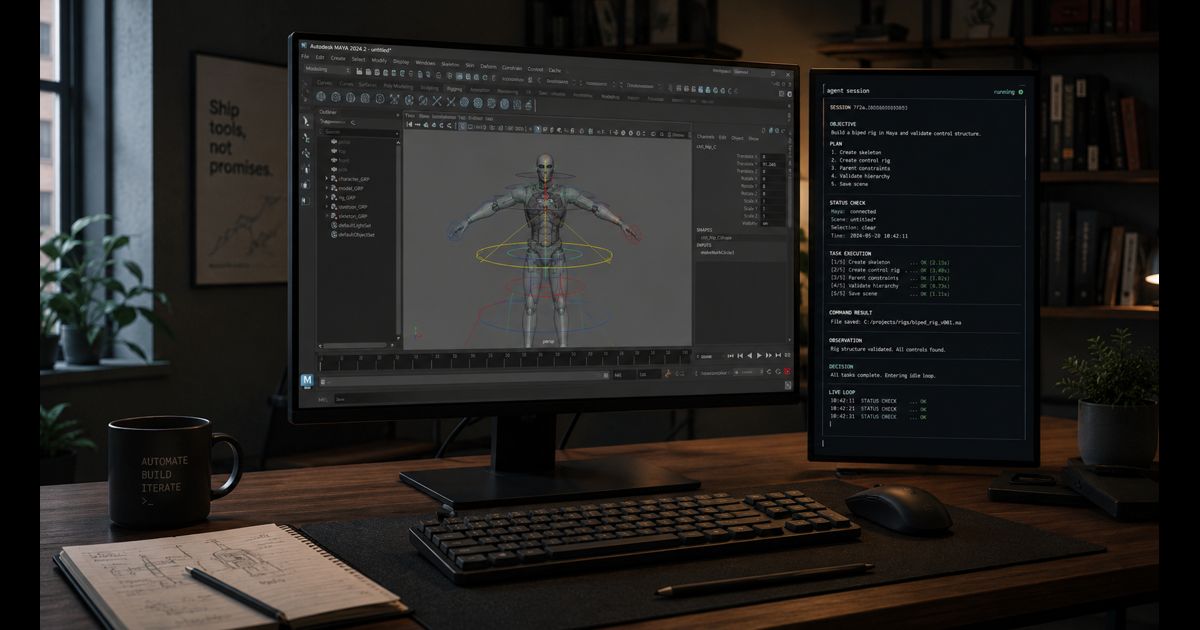
This is my Codex workflow for Autodesk Maya.
The short version: I do not want an agent that only edits Maya Python files. I want it to drive Maya, run the tool in the actual host application, inspect what happened, patch the code, and run it again.
That sounds obvious. It is not how most coding agents work by default.
Most agents are still file-system shaped. They read files, edit files, run tests, and report a diff. That works well for a CLI or a web app. It is only half the loop for Maya.
Maya is the runtime. The scene is state. The UI matters. Plugin load order matters. Script editor errors matter. A tool can import fine in plain Python and still fail the moment Maya’s event loop, command engine, or scene graph gets involved.
So I built the workflow around a small bridge to a real Maya session.
Not because I want more agent infrastructure. I want less guessing.
The Problem
I do a lot of Autodesk Maya work for clients: rigging, pipeline tools, exporters, scene automation, UI work, and all the annoying little helpers that only make sense inside a DCC application.
This work has a nasty property: the source code lies.
A Python function can look correct. The unit test can pass. The package can import. Then Maya loads it in a different environment, with a different plugin state, against a real production scene, and suddenly the thing falls apart.
Examples:
- a UI works until it is reopened after a reload
- a rig helper creates nodes with the wrong namespace
- a tool assumes a plugin is loaded
- a menu command survives import but fails when triggered from Maya
- a script works on a clean scene but not on the client scene
- a callback keeps state from the previous run
This is not exotic. This is normal Maya development.
If Codex only sees the repo, it can produce plausible patches. Sometimes very good patches. But it is still guessing about the thing that actually matters: what happens in Maya.
The Manual Loop
The old workflow was useful, but too much of the loop lived in my hands.
That works, but it wastes the human on glue work.
The agent can write code, but I am still the runtime adapter. I am the one reloading the tool, triggering the menu command, copying the script editor output, and telling the model what really happened.
For Maya, that is the wrong split.
The Bridge
The core is a small tool I call gg_mayasessiond. Its job is to keep Maya reachable from Codex without turning the whole application into a free-for-all.
The idea is boring on purpose:
- keep Maya running
- expose a small set of commands
- let Codex attach to that session
- run focused checks inside Maya
- send back useful errors
I do not want Codex to have “access to Maya” in some vague magical sense. I want it to have a few simple operations I can trust.
Start Maya. Load the tool. Run a small check. Inspect the scene. Read the errors. Report what happened.
The command surface is intentionally small: check the environment, start the session, ask for status, call a tool, read a short report, stop the session. Behind that it keeps a state folder with the current process state, recent events, and the daemon log. That sounds mundane, but it is exactly what makes the workflow usable. When something fails, Codex can point at the log instead of guessing.
Calls go through the long-running Maya session first. If that path is unhealthy, the tooling can fall back to a one-shot call. The important thing is that the result says which path was used, so I can tell whether a check really touched the live session.
That is enough.
The Better Loop
The loop I want is not “agent writes code, human tests it later”.
It is a closed loop around the real host app.
The important part is the rerun in Maya.
Without it, the agent is doing what every developer does in a new Maya codebase: reading code and making educated guesses. Useful, but incomplete.
With it, Codex can close the loop in the host application. That is the difference between “AI generated a patch” and “the tool actually ran in Maya”.
Tests Still Matter
Tests are great. I still want tests.
But a lot of Maya bugs are integration bugs with a very expensive runtime attached. Mocking Maya too aggressively gives you confidence in the mock. Running plain Python catches syntax and some logic. It does not tell you whether the real command behaves correctly in the real application.
The useful split is:
For normal repo work, Codex can still do the usual things:
git status --short
rg --files
pytest
For Maya work, those are setup steps. The proof is inside Maya.
MCP Is Useful Here, But Keep It Small
I am not generally excited by giant MCP servers that dump half the world into the agent context. They often feel like a tax. Lots of tokens, lots of vague affordances, not much signal.
Maya is one of the places where a narrow tool bridge actually makes sense.
Maya is huge. You do not want an agent wandering around it with unlimited freedom. You want a small surface that exposes the few things needed for a development loop:
- current session state
- known commands
- explicit inputs and outputs
- recent host errors
- scene inspection helpers
- reload hooks
- smoke checks
That can be MCP. It can also be a CLI. I do not care much about the wrapper. I care that the interface is small and easy for the agent to call.
The best tool boundary is boring. If I cannot explain the operation in one sentence, it probably does not belong in the first version.
Repo Instructions Still Matter
The Maya bridge is the interesting part. The boring part is what keeps it usable.
Every serious repo needs an AGENTS.md.
That file tells Codex what the repo is, what to read, which commands are safe, how to test, what not to touch, and what counts as done. For Maya work, it also needs to say when the Maya session is part of verification.
My shared defaults live in ~/Projects/agent-scripts. That gives repos a common base: git rules, docs conventions, helper scripts, and small workflow notes. Project repos then add their local rules.
For Maya, the useful instructions are concrete:
- read the repo docs before editing
- keep diffs narrow
- do not reset my worktree
- do not swap package managers
- prefer repo scripts
- use the Maya session when available
- say which Maya-side command was run
- include host errors in the final report
- stop if the session state is unclear
This is not bureaucracy. This is how you stop automation from turning into an expensive randomizer.
Safety Boundary
This needs discipline.
Maya scenes can contain client work. Tools can mutate files, shelves, preferences, scenes, and caches. An agent should not get broad write access just because it can run a command.
The bridge needs clear boundaries:
The agent should say:
- command run
- result
- relevant error
- files changed
- confidence
- what it did not verify
Not a victory lap.
I also do not want client-specific details leaking into logs, blog posts, or public issues. Verification reports need to be useful without being chatty.
What This Changes
The better loop lets me delegate tasks that used to require me to sit in the middle:
- reproduce a tool failure
- test a menu command
- inspect generated nodes
- validate a rig helper
- run a scene migration smoke check
- capture the exact host error
- verify that a reload actually fixed the issue
That last point matters. A lot of Maya bugs are reload bugs. If the agent cannot reload the tool in Maya, it cannot really verify them.
This is also why the workflow fits the broader agentic setup I use now: repo instructions, docs discovery, small skills, focused checks, review loops, and explicit handoff. The Maya bridge is not a separate philosophy. It is the same loop pointed at a host application.
Why I Like This Direction
The point is not “AI for Maya”.
The point is that serious software development often happens inside environments that are not nice little test runners. Maya, Unity, Unreal, Houdini, Blender, CAD tools, internal pipeline apps, weird vendor SDKs. The code is only part of the system.
Agents get much more useful when they can touch the real runtime through a narrow, repeatable, auditable interface.
That is what the Maya bridge gives me.
It turns Codex from a code patcher into something closer to a developer sitting next to the host app. Still supervised. Still constrained. But finally looking at the thing I care about.
Next
The next step is making the Maya loop boring enough that I trust it every day.
I want repeatable recipes for:
- starting a clean Maya session
- attaching to an existing session
- loading the tool
- running a small check
- reloading after a patch
- capturing the host errors
Once that is solid, the workflow becomes obvious:
Give Codex the repo, the rules, and the smallest possible bridge into Maya. Let it work. Review the evidence.
No mysticism. Just a tighter loop.